A Quota Exchange is the permanent transfer of milk quota between producers. Producers submit bids to buy or offers to sell specific kilograms of quota at chosen prices. After the exchange closes, the system matches buyers and sellers to determine the clearing price and completes the approved quota transfers (see Quota Exchange for more information).
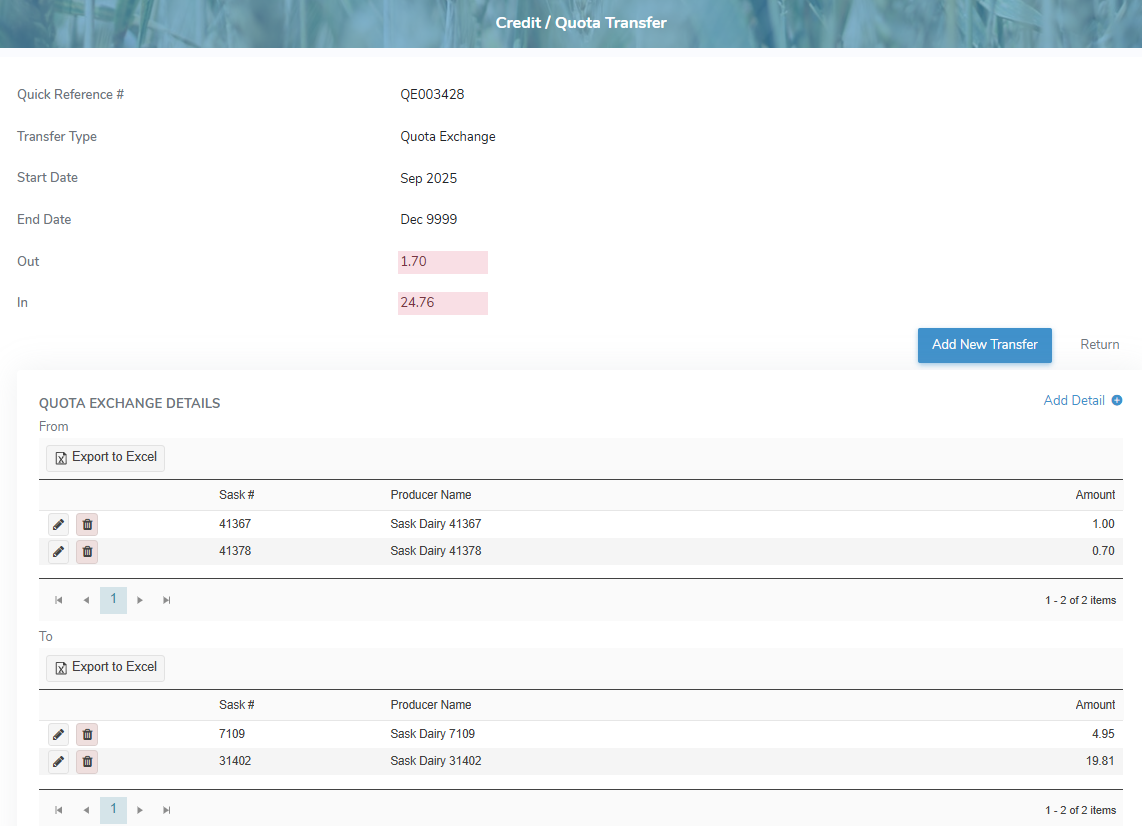
To view or edit a quota exchange transfer record from the Quota Transfers page:
•Click View icon in the row of the quota exchange transfer you want to review or update to open the Credit/Quota Transfer page.
Adding a new quota exchange transfer
To add a new quota exchange transfer from the Credit/Quota Transfer page:
1)Click Add New Transfer to open the Add Quota Transfer page.
2)Select Quota Exchange as the Transfer Type and then add the details of transfer as needed (see Adding a new quota transfer for more information.)
– or –
Click Return to go to the Quota Transfers page without saving the details.