The Transporter Listing page displays a listing of all transporters. Transporters are the companies contracted to transport the milk on behalf of SaskMilk from the producers' farm to the designated drop off location.
 Tip: From the Transporter Listing page, you can click the View icon of a transporter to go to the Transporter page to add, edit or remove Handheld Users (see Managing handheld users for more information) and/or grant portal access (see Managing transporter portal access for more information.)
There are multiple ways to open the Transporter Listing page from the Dashboard page:
a)Click Transporters on the menu bar.
– or –
b)Click Manage right of Transporters from the Manage screen.
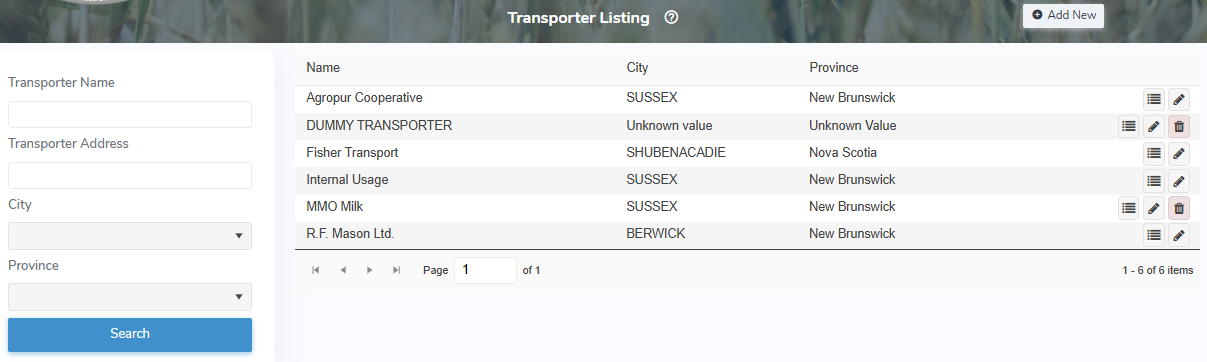
The Transporter Listing page provides:
•Ability to search by transporter name, address, city and/or province
•View of transporter names with information of city and province
•Ability to add new transporter details
•Ability to view edit, or delete transporter details
•Ability to sort column details in ascending or descending order