A Transfer of Credit is a transfer of produce credits between licensed producers, allowing one producer’s surplus or deficit to be applied to another’s account without affecting quota ownership.
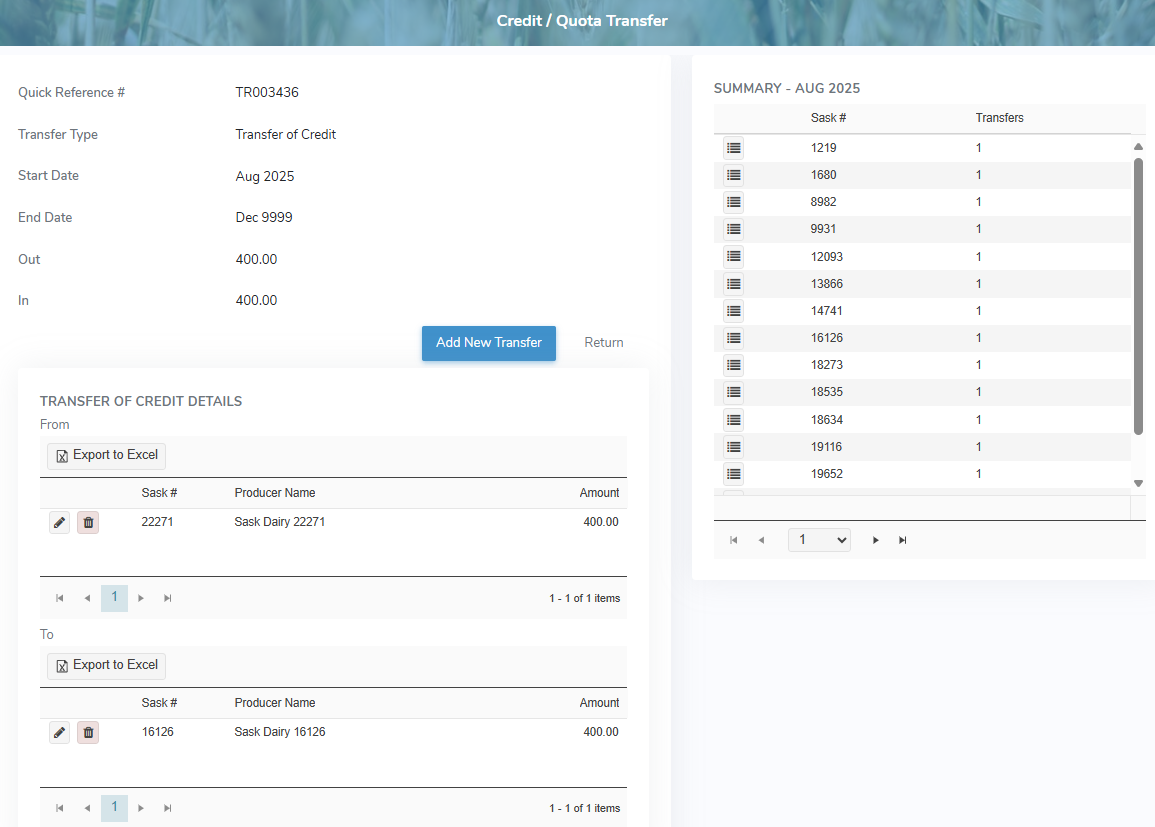
To view or edit a transfer of credit record from the Quota Transfers page:
•Click View icon in the row of the transfer of credit you want to review or update to open the Credit/Quota Transfer page.
Adding a new transfer of credit
To add a new transfer of credit from the Credit/Quota Transfer page:
1)Click Add New Transfer to open the Add Quota Transfer page.
2)Select Transfer of Credit as the Transfer Type and then add the details of transfer as needed (see Adding a new quota transfer for more information.)
– or –
Click Return to go to the Quota Transfers page without saving the details.