To view details or make changes to the shipment in the Shipment Details screen: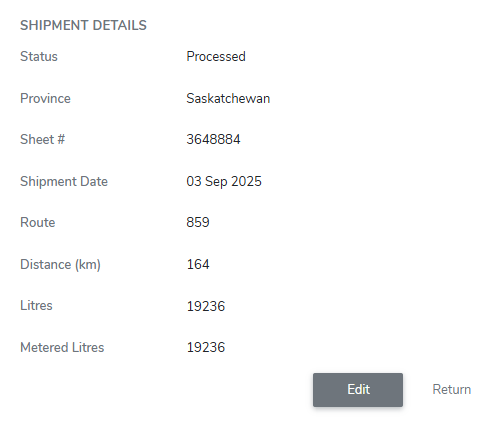
1)Click Edit to open the Update Shipment and edit the shipment details (see Updating shipment details for more information.)
2)Click Return to return to the Shipment page.
 Note: If the shipment is unprocessed, click Process to process the shipment and enable the shipment details to be visible on SaskMilk reports and to producers.