The Pickup Slips page allows the Administrator to search for shipments, and to view, edit or remove shipments details of processed and unprocessed shipments.
To open the Pickup Slips page from the Dashboard page:
•Click the Shipments arrow on the menu bar and then select Pickup Slips.
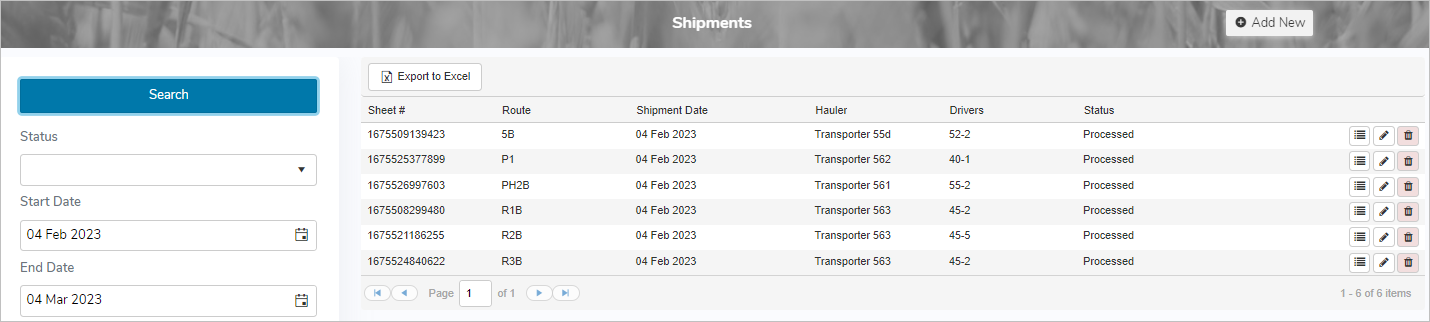
The status of a shipment indicates the state of the route as follows:
•Cancelled – Route is started and then cancelled. Any pickups entered for the shipment remain with the cancelled shipment.
•Complete – Pickups for the route and drop off to the plant are complete. Awaiting confirmation of the processing into the Administrator portal.
•Dropping Off – Pickups for the route are complete, and the shipment is in process of dropping off.
•On Route – Route is in progress and one or more pickups have occurred.
•Paused – Route is started and then put on hold. The shipment is awaiting another driver to pickup and complete the route.
•Picking Up – Route has started and there is a producer pickup in progress.
•Processed – Route is complete and processed into the Administrator portal. The producers are now able to see the pickup details.
•Started – Driver initiates a route, but no pickups have occurred.
•Tanks Empty – Driver has finished dropping off the load and the tanks are empty, but shipment has not been closed.