To view plant alerts from the Plant General page:
•Click the Alerts on the Navigation bar to expand the list, then select Invoice Alert to open the Processor Invoice Alert page.
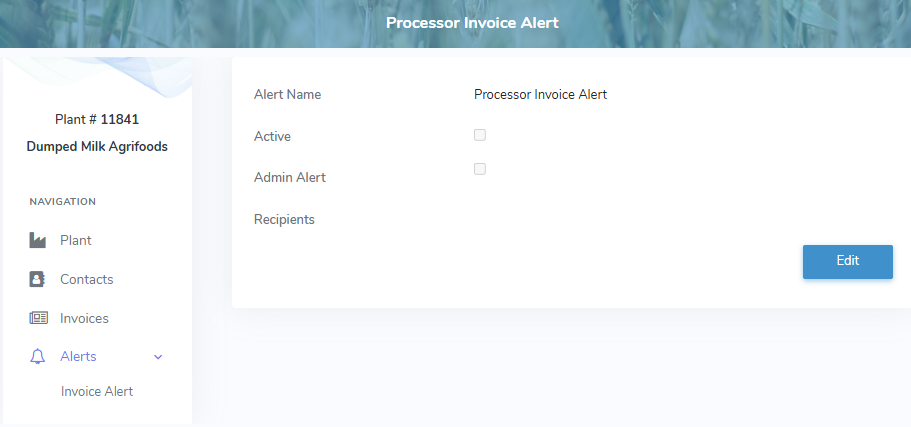
Updating a processor invoice alert
To edit or update an alert on the Processor Invoice Alert page: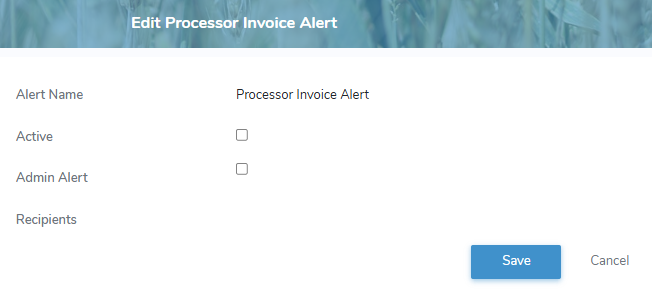
1)Click Edit to open the Edit Porcessor Invoice Alert page.
2)Complete the following details:
•Alert Name: Not editable. Displays Processor Invoice Alert.
•Active: Select the check box if you wish to activate the alert.
•Admin Alert: Select the check box if you wish to set the alert as an Admin alert.
 Note: Processors are able to change the recipients of an Admin Alert but cannot edit any other portion of the alert.
•Recipients: Select the Email and/or SMS check box of the processor contact(s) you want to receive the alerts.
3)Click Save. A message displays you have successfully updated the alert and the details display on the Processor Invoice Alert page.
– or –
Click Cancel to return to the Processor Invoice Alert page without saving changes.