The Plant Sales page displays the plant sales broken down by month, milk class, and milk sub class.
To open the Plant Sales page:
•Click the Plants arrow on the menu bar, and then select Plant Sales.
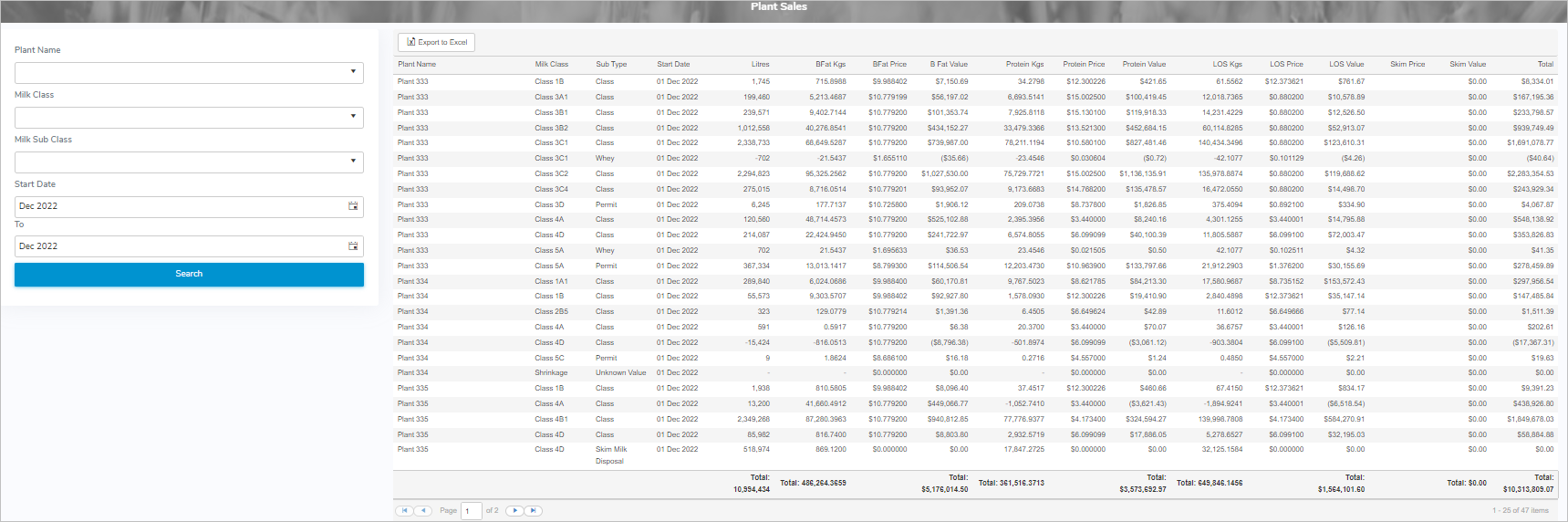
The Plant Search page provides:
•View of the plant sales including the plant name, litres, milk class information (component prices, kgs) and sale values by month
•Ability to search for plant sales by plant, milk class, milk sub class, and production month
•Ability to export plant sales results to Excel format
•Ability to sort column details in ascending or descending order