 Note: All errors must be resolved or removed before closing month end. You can click Errors at any time to view a list of issues identified during the month-end run that require resolution. Click Refresh Status to update the current process status.
To view and manage month end errors from the Month End Admin page:
1)Click the Errors button at the bottom of the page to open the Month End Errors page to display and manage period processing errors collected during month-end runs (e.g., quality, shipments, statement, etc.)
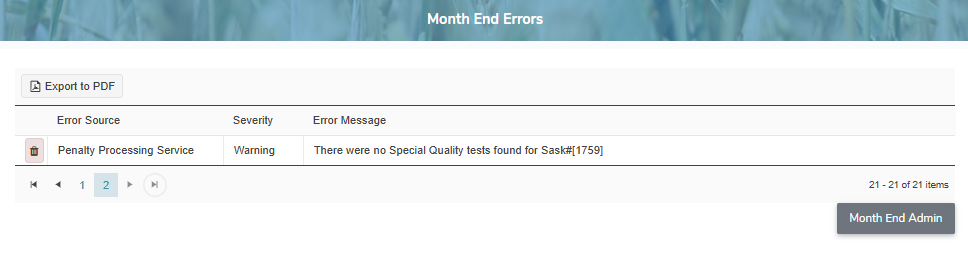
2)Review and resolve errors.
Note: To see the full list of errors within the SaskMilk Milk Payment System go to Reference Material > Error Types.
Removing a month end error
To remove a month end error from the Month End Admin page:
1)Click the Remove icon of the month end error row you wish to remove.
2)Click OK to confirm you want to delete this item. The month end error and its detailed information are deleted from the Month End Admin page.
– or –
Click Cancel to return to the Month End Admin page without saving changes.
Exporting month end error results
To export the results from the Month End Admin page:
1)Click Export to PDF to export the details in a pdf format.
 Tip: By default, most downloaded files open in the Internet browser currently in use, usually in a new window or to your Downloads file on your computer.
2)Click Month End Admin to return to the Month End Admin page.