The Producer Details page displays the details of the producer including legalities, mailing address, physical address, as well as quota limits, and current status information.
To open the Producer Details page from the Producer Dashboard:
•Click the Contact arrow on the Navigation menu and then select Producer Details.
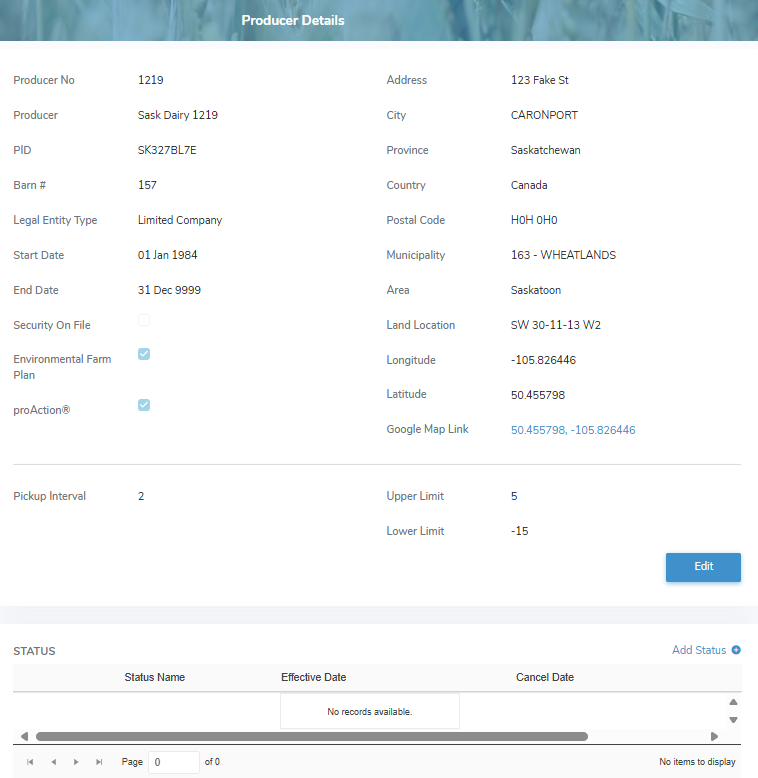
The Producer Details page provides:
•View of the producer details, quota limits and status information
•View of quota upper limit and lower limit in days (see Limit Maintenance for more information)
•Ability to edit or update the producer details
•Ability to view, create, and edit status of a producer