To view or make changes to the dashboard details of an individual producer from the Producers page:
•Click View icon of the producer you wish to view to open the Producer Dashboard page.
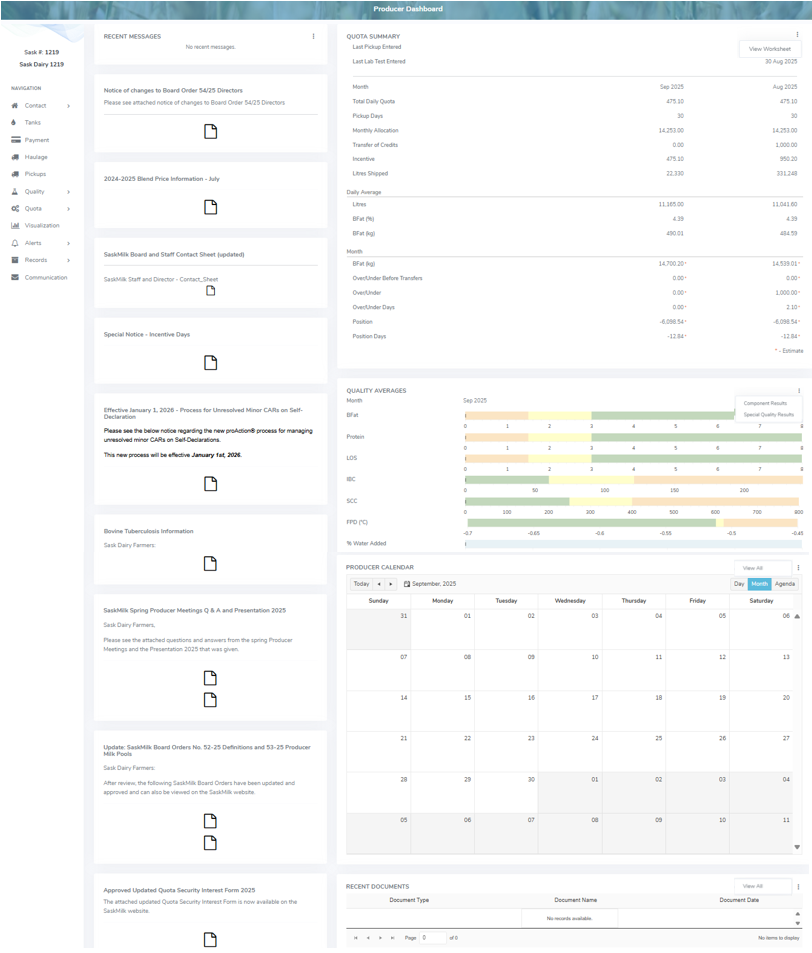
 Note: The Producer Dashboard gives a quick overview of an individual producer and their details. This page mirrors the information the producer views on their Producer Portal landing page including current plus previous month quota summaries, quality averages, and any recent messages.
The Producer Dashboard page provides:
•Navigation menu on the left side to view information and edit details of the producer
•View of recent messages with quick link ( ) to View All messages, and archived notifications
•View of the quota summary details as well as quick link () to View Worksheet
•Data visualization of quality averages of the individual producer as well as quick links () to Component Results and Special Quality Results
•View of the producer calendar with quick link () to View All scheduled events
•View of recent documents with quick link () to View All documents