A Lease transfer is a temporary arrangement where a licensed producer transfers quota use to another producer while keeping ownership. It is only permitted in specific situations such as new entry, renovations, exit, or crisis.
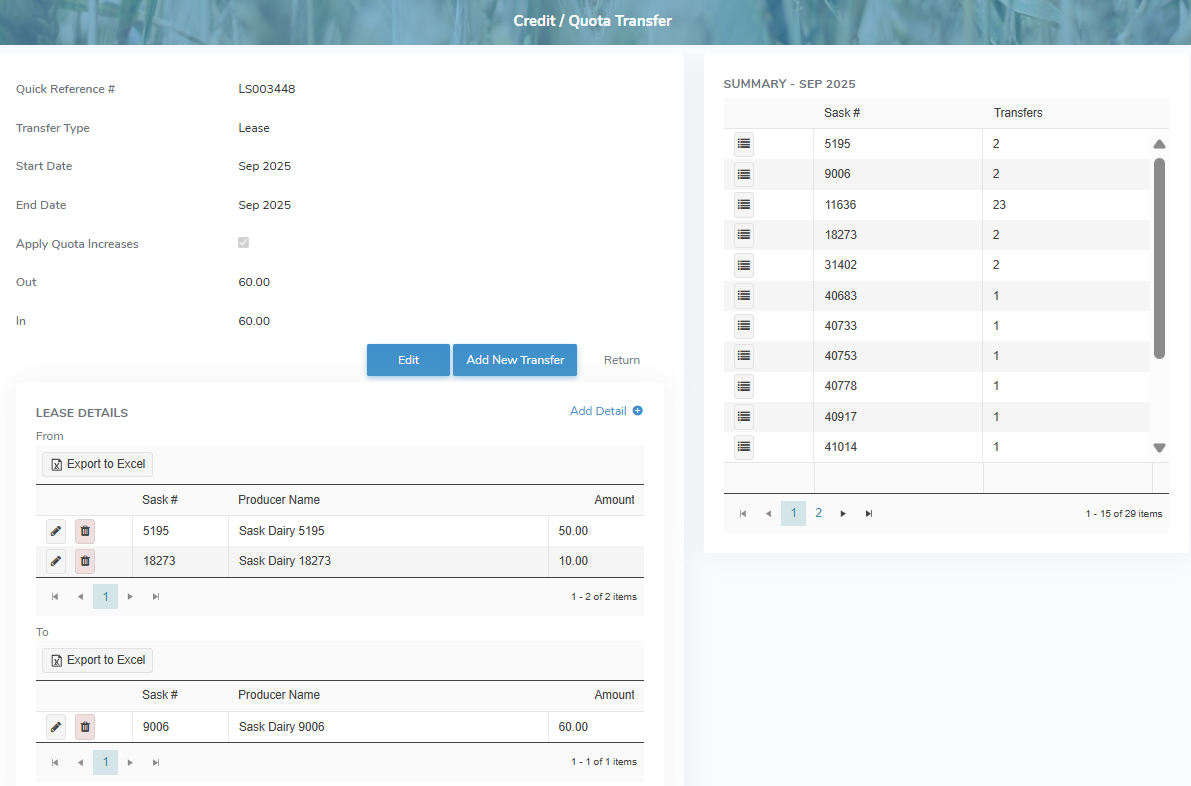
To view or edit a lease transfer record from the Quota Transfers page:
•Click View icon in the row of the lease transfer you want to review or update to open the QuotaTransfer page.
Adding a new lease transfer
To add a new lease transfer from the Credit/Quota Transfer page:
1)Click Add New Transfer to open the Add Quota Transfer page.
2)Select Lease as the Transfer Type and then add the details of the quota transfer as needed (see Adding a new quota transfer for more information.)
– or –
Click Return to go to the Quota page without saving the details.
Editing a lease transfer
To edit or update the details of a lease transfer from the Credit/Quota Transfer page:
1)Click Edit to open the Edit Quota Transfer page.
2)Update the details of the lease transfer as needed (see Editing a quota transfer for more information.)
– or –
Click Return to return to the Credit/Quota Transfers page without saving the details.