To view the details of a quota exchange or make changes to the bid/offer listings on the Quota Exchange page:
•Click the View icon on the quota exchange to open the Quota Exchange page.
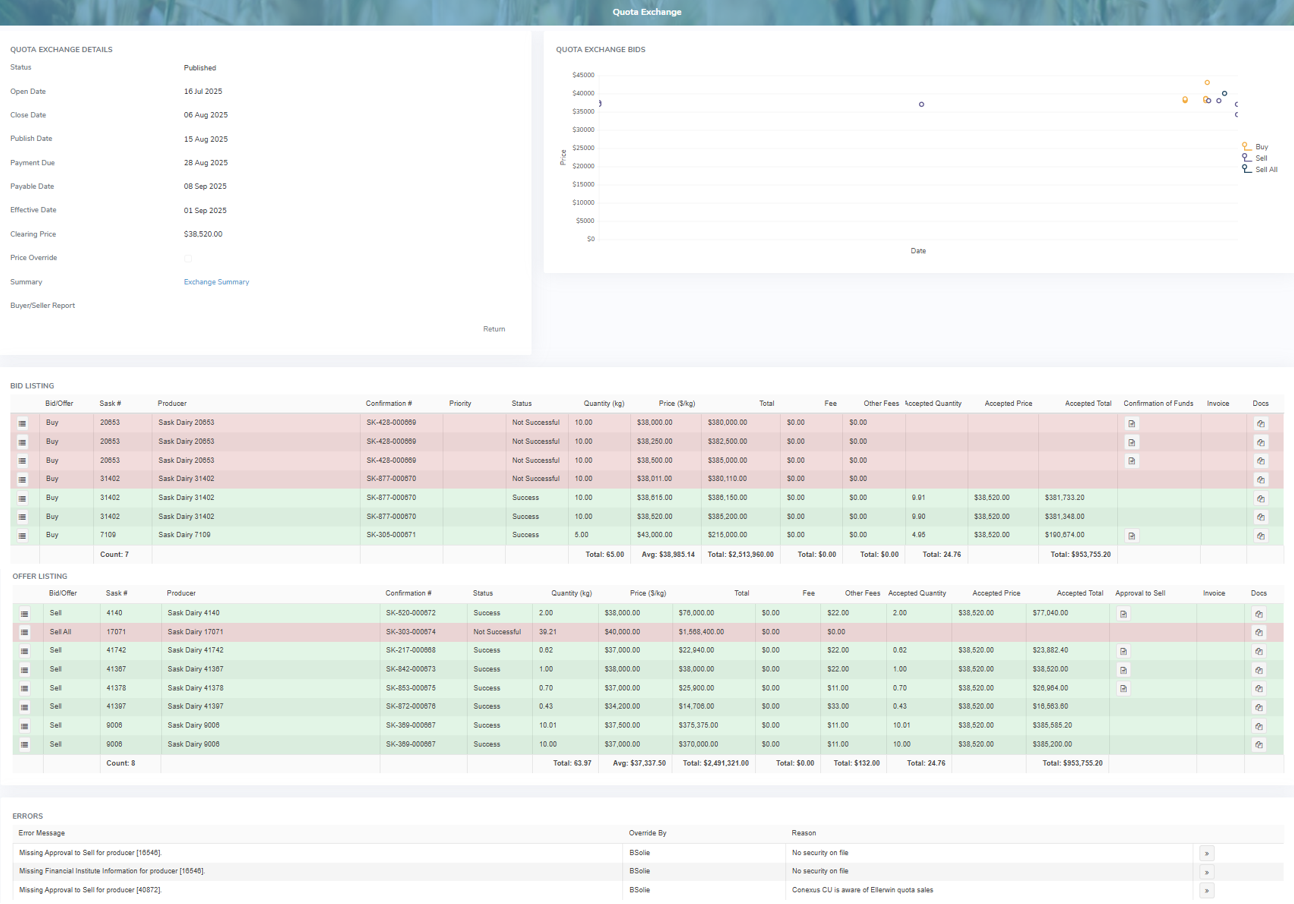
The Quota Exchange page provides:
•View of the quota exchange details, quota exchange bids, bid listing, offer listing and error messages
•Ability to publish or run the quota exchange using a quick link ( ) throughout the month to see how the bids and offers are distributed based on the current bids or offers entered in the quota exchange
•Ability to view the Exchange Summary and Buyers/Sellers Report (after the exchange has been run)
•Ability to edit the quota exchange details (only when the period is not published)
•Visual of when the quota exchange bids and offers appear during the period
•Ability to add, edit, or delete bid or offer listings (only when the period is not published)
•View of error messages for the quota exchange period