The Producer Reports page displays all reports available for the producer within the Milk Payment System. From here, users can select and run standardized reports for viewing or exporting.
To open the Producer Reports page:
•Click the Records arrow on the Navigation bar, and then select Reports.
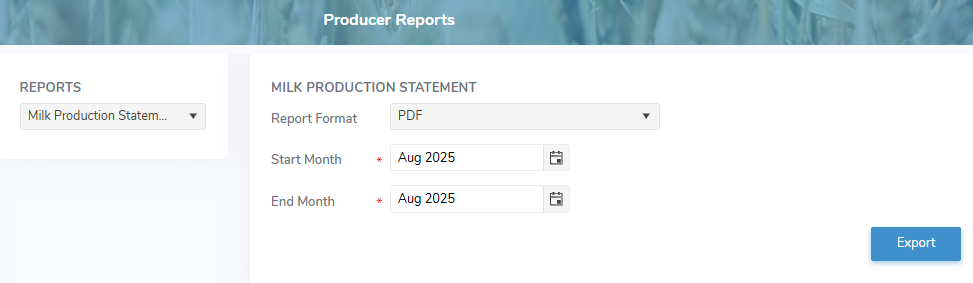
The Producer Reports page provides:
•Ability to select standardized reports by report format, start month and end month
•Ability to export the report output list in different formats