Adding a new administrator access
To add a new administrator access from the Manage Administrators page:
1)Click Add New to open the Register New Portal User page.
2)Click the User Role arrow, and select Administrator.
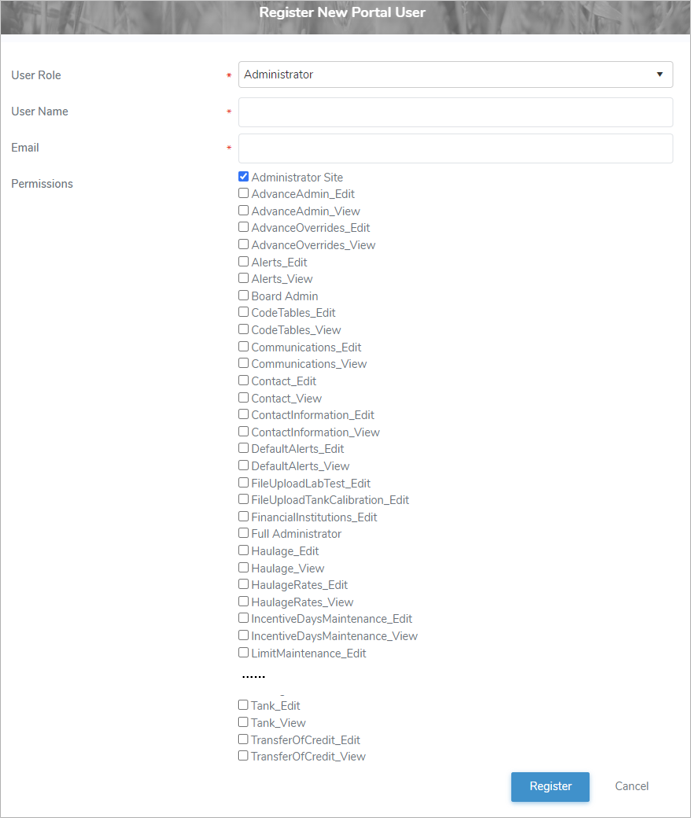
3)Complete the following details:
•User Role: Administrator must be selected as the user role.
•User Name: Type user name of the administrator (e.g. first initial and last name, jsmith)
•Email*: Type the email address of the administrator.
•Permissions: Select one or more check box(es) permissions that apply to the administrator.
 Note: To see the full list of permission types go to Reference Material - Permission Types.
Note: The Administrator Site check box must be selected to give the administrator access to the Administrator Portal.
4)Click Register to save the administrator permissions and send the account registration to the administrator email entered. The administrator details displays on the Manage Administrators page.
– or –
Click Cancel to return to the Manage Producers page without saving the details.
Note: Account registration emails are only valid for seven (7) days.
Updating an administrator access
To edit or update the details of an administrator access from the Manage Administrators page:
1)Click Edit icon to open the Edit Portal User page.
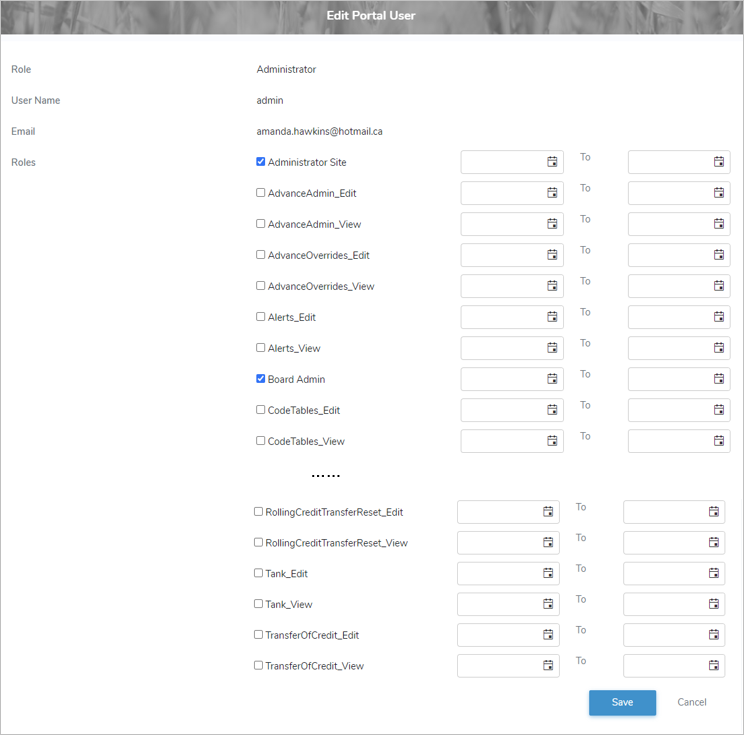
2)Edit or update the details of the administrator access as necessary (see Adding a new administrator access for more information.)
3)Click Save to save the administrator access and return to the Manage Administrators page. The administrator access displays on the Manage Administrators page.
– or –
Click Cancel to return to the Manage Producers page without saving the details.
Removing an administrator access
To remove an administrator access from the Manage Administrators page:
1)Click Remove icon of the administrator access you want to remove.
2)Click OK to confirm you want to remove this user. The administrator access and its detailed information are deleted from the Manage Administrators page.