To search or find a quota transfer type and its detailed information from the Quota Transfers page: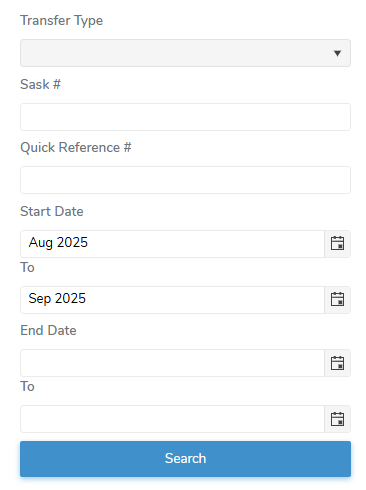
1)Select or type in one or more of the following details:
•Transfer Type: Type the first letter or click the arrow to display a list of transfer types, then use the scroll bar to move up or down to find and select a transfer type.
•Sask # Unique identifier assigned to the individual producer.: Type first number or full registration number of the producer.
•Quick Reference #: Type full number of the Quick Reference # for the transfer record.
•Start Date (To): Type the start date or click Calendar icon to select the date range you want to search for quota transfers start dates.
•End Date (To): Type the end date or click Calendar icon to select date range you want to search for quota transfers end dates.
2)Click Search or Enter key on your keyboard to display a list of quota transfers matching your criteria.
– or –
Click Clear to clear the criteria and start your search again.
 Note: If no matches, then a message displays no records available.