Portal access may be granted or created for all types of producer contacts except for the primary contact.
 Note: The portal access for primary contact can only be created by the SaskMilk Administrator.
To create a portal access for the contact from the Contact Details page:
1)Click Create Portal Access to open the Register New Portal User page.
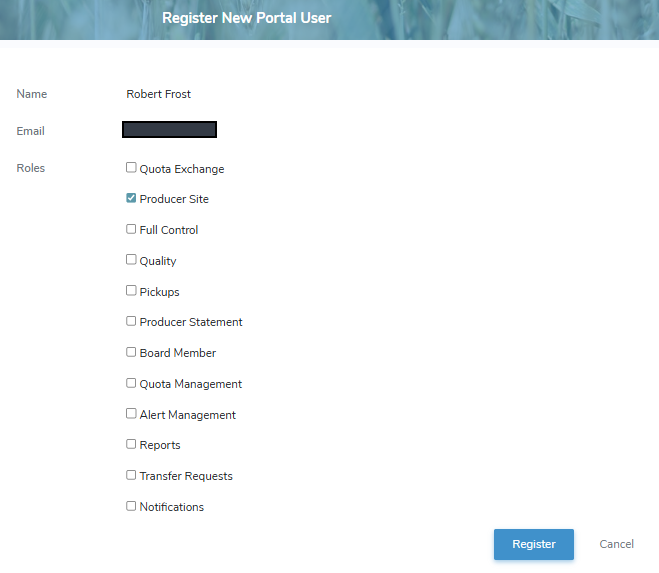
2)Complete the following details for the individual you are adding as a contact:
•Name: Not editable. Displays the name of the contact.
•Email: Not editable. Displays the email address of the contact.
•Roles: Check the box for each role assigned to this contact, granting them special permission to the producer's information.
Note: To see the full list of permission roles types go to Reference Material - Permission Types.
3)Click Register. An email is sent to the contact requesting they complete their account setup in the Producer Portal.
Note: The contact will need your Producer ID to register and set up their account in the Producer Portal.
– or –
Click Return to return to the Contact Details page without saving changes.