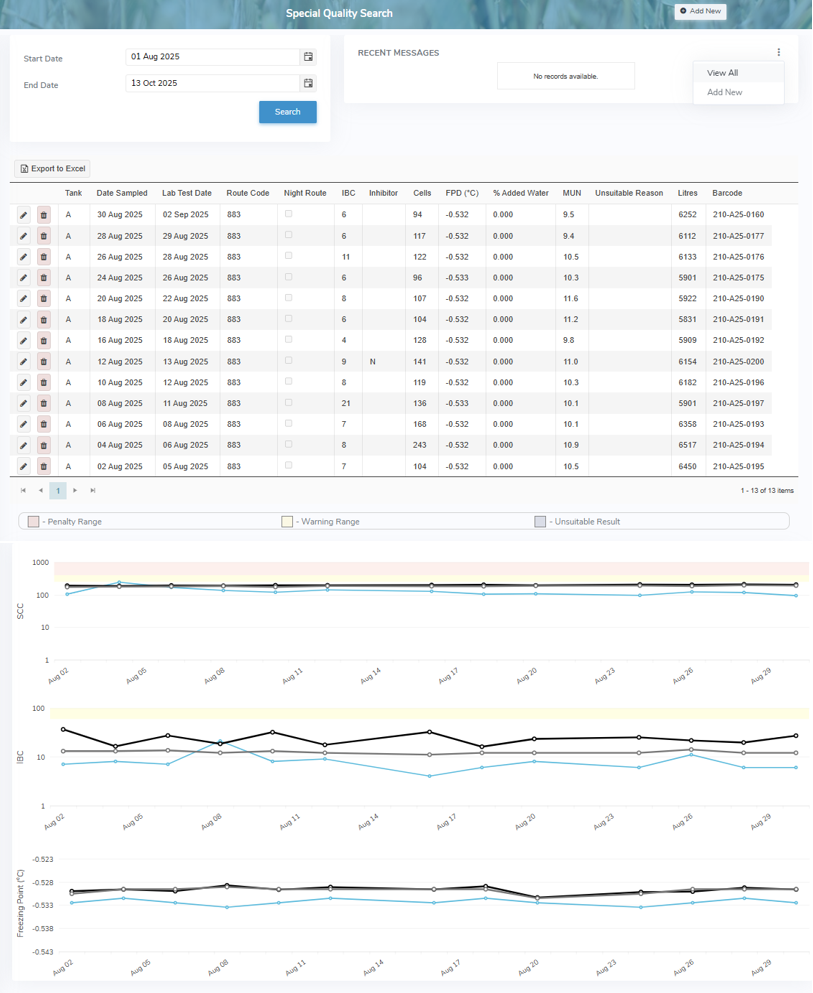
The Special Quality Search page displays the quality test results for each pickup and identifies any samples that fall within the penalty, warning, or unsuitable ranges. Graphs provide a visual summary of the current data.
Administrators use this page to manage producer quality test results and to view or send messages related to specific test results.
To open the Special Quality Search page from the Producer Dashboard page:
•Click the Quality arrow on the Navigation bar and then select Special Quality.