SaskMilk will grant you access to the Administrator Portal by sending you an email to initiate your account.
To set up your account on the SaskMilk Portal: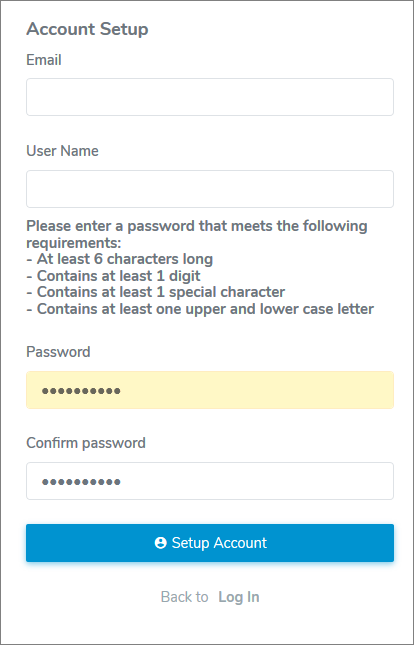
1)Click the link in the email you received from SaskMilk to complete your account setup. This will open your internet browser on the SaskMilk Account Setup page.
2)Complete the following:
•Email: Type your full email address.
•User Name: Type the name you will use to access the Administrator Portal.
•Password: Type password (following instructions on screen.)
•Confirm password: Re-type the password.
3)Click Setup Account. A message displays confirmation of your password reset.
4)Click Back to Log In to log onto the SaskMilk Administrator Portal or click the link in the email confirmation you receive.