The Triggered Alerts page provides a record of email and text message notifications sent to producers. Each alert displays its delivery status, allowing administrators to verify successful sends or identify failed messages. Failed alerts can be resent directly from this page.
To open the Triggered Alerts page:
•Click the Admin arrow on the menu bar, and then select Triggered Alerts.
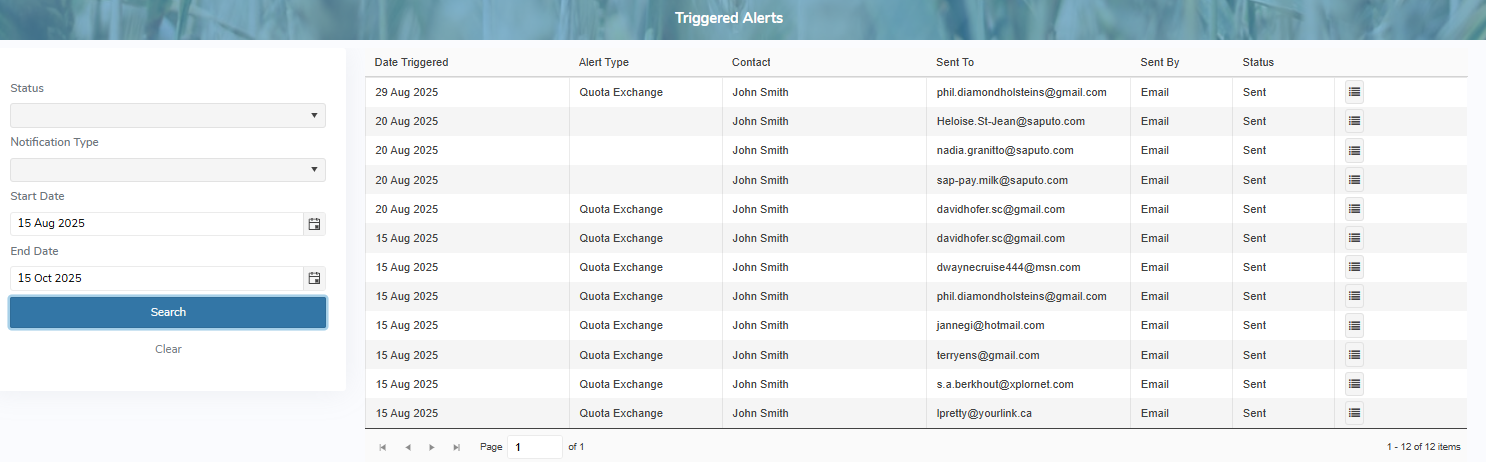
The Triggered Alerts page provides:
•Ability to search and view triggers alerts that have been sent to producers
•Ability to resend an alert if it should fail
•Ability to sort column details in ascending or descending order