To view or edit the details of the company address of the SaskMilk from the Manage Settings page:
1)Click the Contact Settings arrow from the navigation menu and then select Company Address to open the List of SMCB Address Values page.
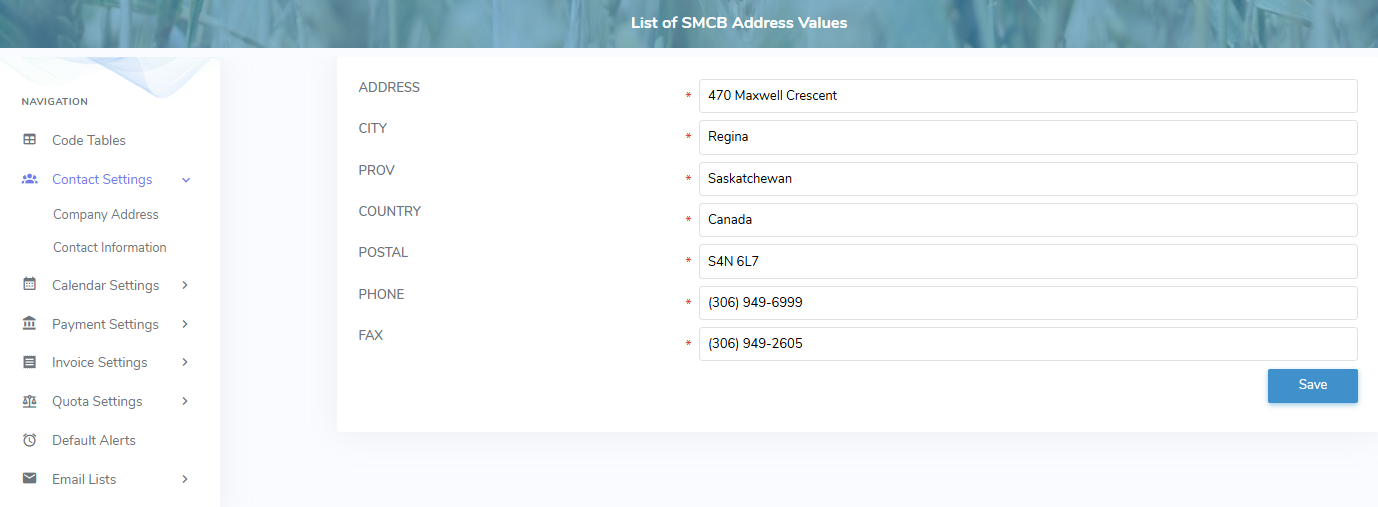
2)To edit or update the address, complete the following details:
•Address: Type the street address or mailing address of the company.
•City: Type the name of the city.
•Prov: Type the province.
•Country: Type the country.
•Postal: Type the postal code.
•Phone: Type the full phone number including area code.
•Fax: Type the full fax number including area code.
3)Click Save. The company address information displays on the List of SMCBAddress Values page.