To search or find a producer and their quota information from the Producers page: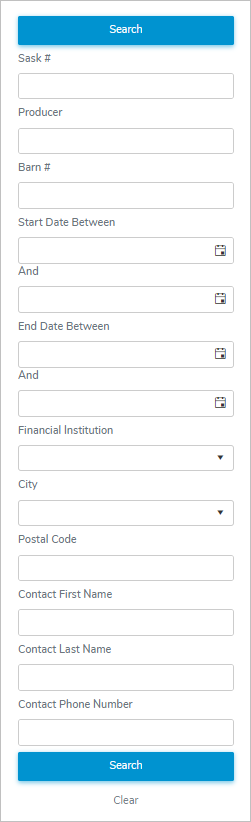
1)Type in one or more of the following details:
•Sask #: Type full SaskMilk registered number of the producer.
•Producer: Type partial or full number of producer, and then use the scroll bar to move up or down to find and select the desired producer.
•Barn #: Type the full number of barn of the producer.
•Start Date Between / And: Type the start date or click Calendar icon to select the active date of the producer.
•End Date Between / And: Type the end date or click Calendar icon to select the inactive date of the producer.
•Financial Institution: Type first letter of the financial institution or click the arrow to display list of financial institutions, and then use the scroll bar to move up or down the list to find and select the desired financial institution of the producer.
•City: Type first letter of the city or click the arrow to display list of cities, and then use the scroll bar to move up or down the list to find and select the desired city of the producer.
•Postal Code: Type the full postal code of the producer.
•Contact First Name: Type partial or full first name of the producer.
•Contact Last Name: Type partial or full last name of the producer.
•Contact Phone Number: Type the full phone number of the producer.
2)Click Search or Enter key on your keyboard to display a list of producers matching your criteria.
– or –
Click Clear to clear the criteria and start your search again.
 Note: If no matches, then a message displays there are currently no items available.
3)Click View icon to view the Producer Dashboard (see Viewing producers for more information.)