The Quality Search page displays the monthly average quality test results and identifies any results with an applied penalty or violation. It also shows the calculated quality bonus based on the monthly averages.
To open the Quality Search page from the Producer Dashboard page:
•Click the Quality arrow on the Navigation bar and then select Quality Results.
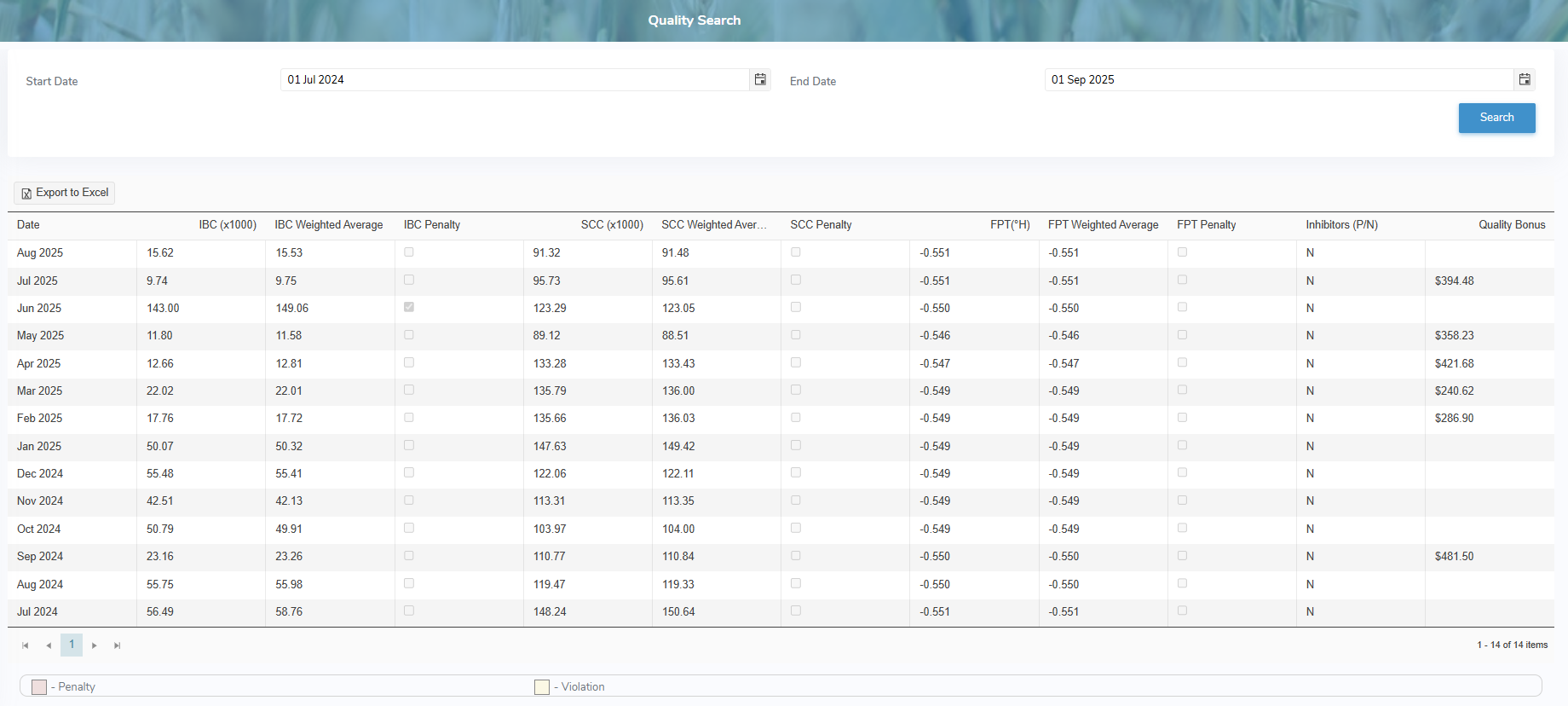
The Quality Search page provides:
•Ability to search by start date and/or end date
•View list of the monthly average quality test results including applied penalty or violations and calculated monthly quality bonus
•Ability to sort column details in ascending or descending order
•Ability to export quality test results to an Excel format