To search or find plants from the Plant Search page: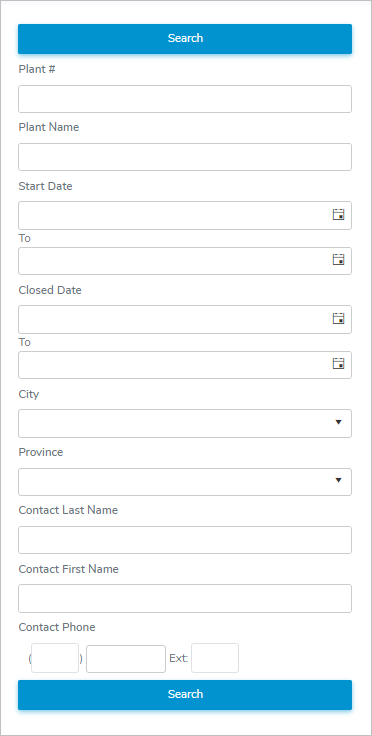
1)Select or type in one or more of the following details:
•Plant #: Type the full plant number.
•Plant Name: Type partial or full name of plant.
•Start Date / To: Type the date or click Calendar icon to select the date you want to search the from and/or to of the plant effective date.
•Close Date / To: Type the or click Calendar icon to select the date you want to search the from and/or to of the plant cancel date.
•City: Type the first letter of the city or click the arrow to display list of cities,and then use the scroll bar to move up or down the list to find and select the desired city you want to search for.
•Province: Type the first letter of the province or click the arrow to display list of provinces, and then use the scroll bar to move up or down the list to find and select the desired province you want to search for.
•Contact Last Name: Type partial or full last name of the plant contact.
•Contact First Name: Type partial or full first name of the plant contact.
•Contact Phone: Type partial or full phone number of the plant contact.
2)Click Search or Enter key on your keyboard to display a list of plants matching your criteria.
 Note: If no matches, then a message displays no records available.