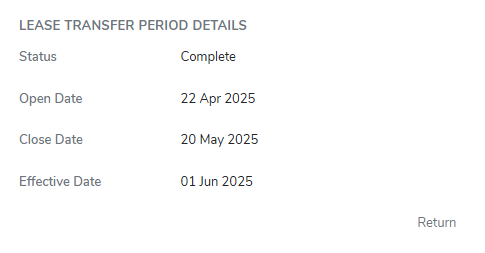
The Lease Transfer Period Details screen displays the selected lease transfer period.
 Note: The details of a credit transfer period that has been closed cannot be updated.
Updating lease transfer period details
To edit or update the details of the lease transfer period from the Lease Transfer Period page:
1)Click Edit to open the Lease Transfer Period page.
2)Update the following details as needed.
•Status: Not editable. Displays the current status of the selected lease transfer period.
•Open Date: Type the date or click the Calendar icon to select the day you would like the lease transfer period to open.
•Closed Date: Type the date or click the Calendar icon to select the day you would like the lease transfer period to end.
•Effective Date: Type the date or click the Calendar icon to select the day you would like the lease transfer period to take effect.
3)Click Save. The lease transfer period is updated and details display on the Lease Request Listing screen.
– or –
Click Cancel to return to the Lease Requests page without saving changes.
Closing a lease transfer period details
To close the details of the lease transfer period
1)Click the vertical ellipsis icon ( ) in the top right corner of the Lease Transfer Period Details, and then click Complete Period to display confirmation message.
2)Click OK to confirm completion of this lease transfer period and return to the Lease Transfer Period page.
– or –
Click Cancel to return to the Lease Transfer Period page without saving changes.