The Lab Search displays lab test files that have been upload automatically through the email/api upload process. Administrators review the files and correct errors as required.
To open the Lab Search page from the Dashboard:
•Click Quality arrow on the menu bar, and then select Lab Interface.
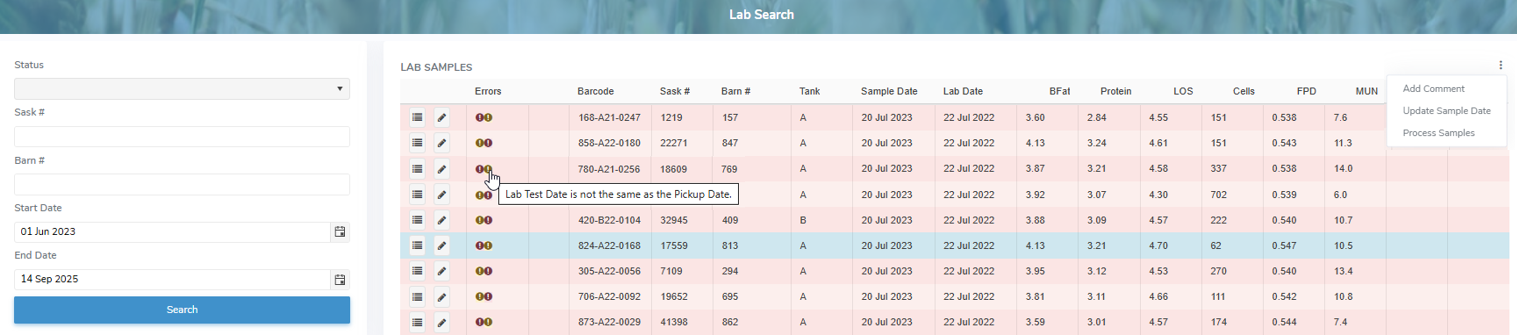
The Lab Search page provides:
•Ability to search for lab test results by status, Sask #, route number, start and/or end date
•View individual lab test records, error messages, and the original lab data values
•Ability to add comments, update sample dates and process samples using vertical ellipsis icon ( ) in the top right corner of the Lab Samples table
•Ability to update individual lab test records with errors or missing information
•Ability to sort column details in ascending or descending order