SaskMilk will grant you access to the Producer Portal by sending you an email to initiate your account.
Each producer or producer contact will receive an email to setup their own account that is unique to the individual. As a security measure, the producer's number is not included in the email.
To set up your account on the SaskMilk Portal: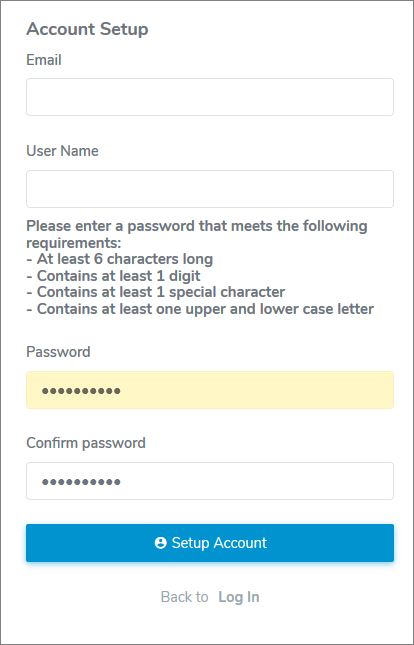
1)Click the link in the email you received from SaskMilk to complete your account setup. This will open your internet browser on the SaskMilk Account Setup page.
2)Complete the following:
•Sask #: Type your registered producer number.
•Email: Type your full email address.
•User Name: Type the name you will use to access the Producer Portal.
•Password: Type password (following instructions on screen.)
•Confirm password: Re-type the password.
3)Click Setup Account. A message displays confirmation of your password reset.
4)Click Back to Log In to log onto the SaskMilk Producer Portal or click the link in the email confirmation you receive.