The Route Verification Results page compares producer test results with route (trailer) test data to confirm accuracy and detect discrepancies. It identifies tests that are accepted or rejected and helps pinpoint potential issues with sampling, drivers, or equipment.
To open the Route Verification Results page from the Dashboard:
•Click Quality arrow on the menu bar, and then select Route Verification Results.
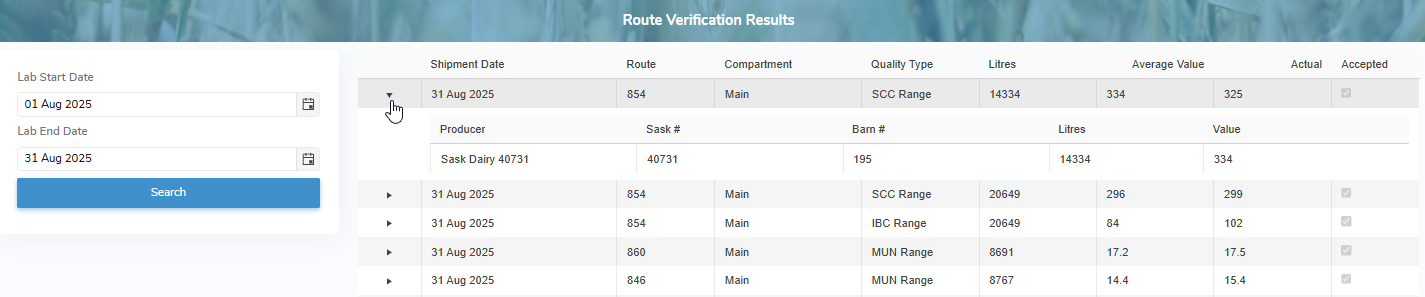
The Route Verification Results page provides:
•View of quality test results by route and shipment date, including the weighted average, actual value, and an indicator showing whether the result is within the acceptable range. Click the arrow to view the producers included on the route and their individual test results
•Ability to search by start and end dates