To add a new rolling credit transfer reset from from the Rolling Credit Transfer Maintenance page:
1)Click Add New to open the Add Rolling Credit Transfer Reset page, and then complete the following: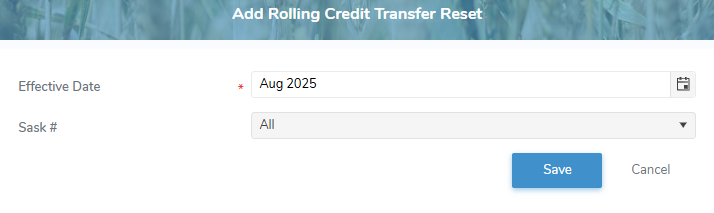
•Effective Date: Type the date or click the Calendar icon to select the date you would like the reset to take effect.
•Sask #: Select All or type partial or full number of producer, and then use the scroll bar to move up or down to find and select a producer.
2)Click Save to record the reset details and return to the Rolling Credit Transfer Maintenance page. The saved information displays in the table.
– or –
Click Cancel to return to the Rolling Credit Transfer Maintenance without saving the details.