To search or find a producer tank and its calibration information from the Producer Tanks page: 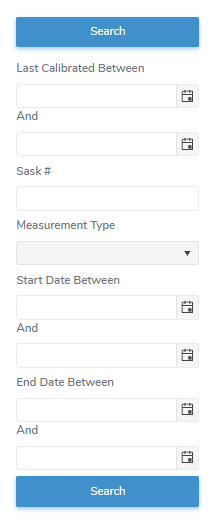
1)Type in one or more of the following details:
•Last Calibration Between / And: Type the date or click the Calendar icon to select the last calibration date for the tank.
•Sask #: Type partial or full number of producer, and then use the scroll bar to move up or down to find and select the desired producer.
•Measurement Type: Click the drop-down arrow to display list of measurement types, and then select the one that applies to the producer tank.
•Start Date Between / And: Type the start date or click Calendar icon to select the effective date of the producer tank.
•End Date Between / And: Type the end date or click Calendar icon to select the cancel date of the producer tank.
2)Click Search or Enter key on your keyboard to display a list of producer tanks matching your criteria.
 Note: If no matches, then a message displays no records available.