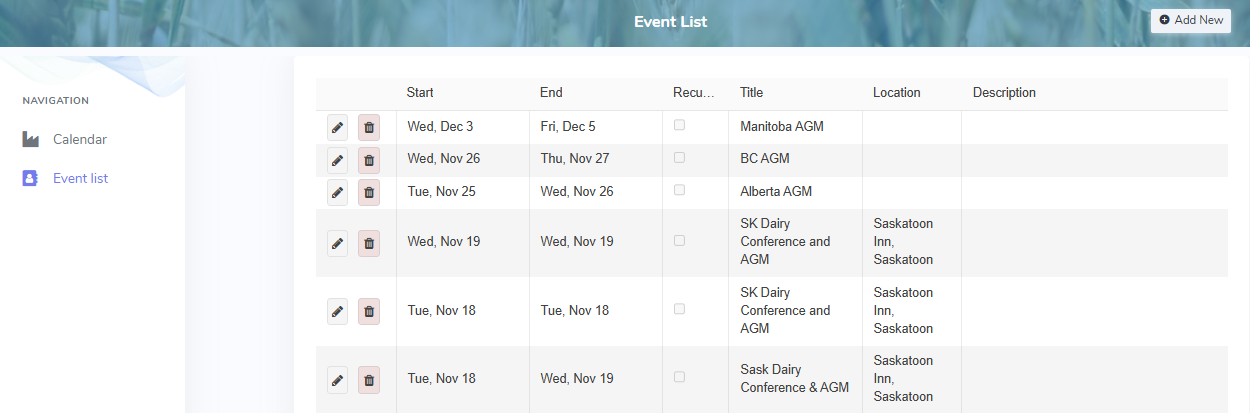
To view details or make changes to the list of producer events from the Event List page:
•Click Event List on the side menu bar
Adding new producer event
To add a new producer event to the event list:
1)Click Add New to open the Add Event page, and then complete the following: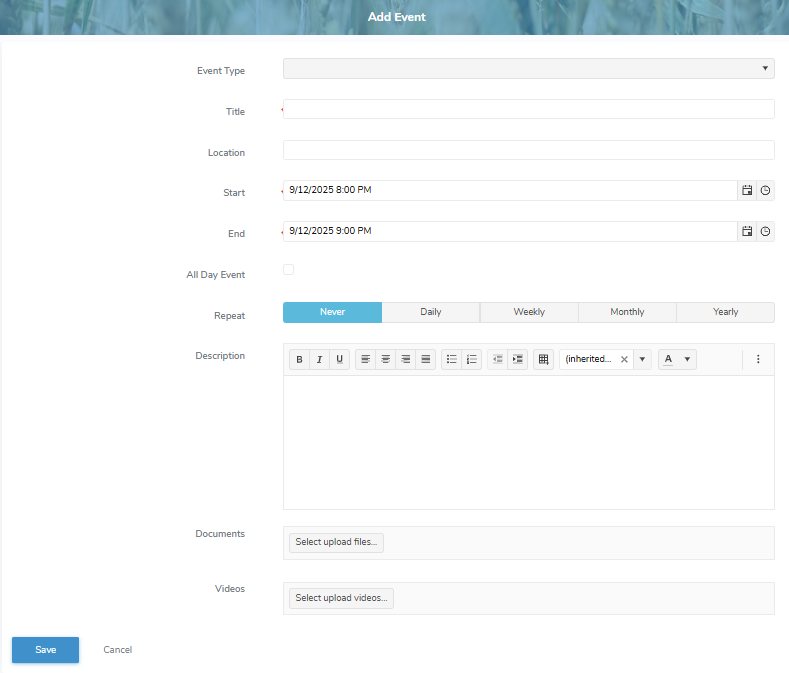
•Event Type: Click the drop-down arrow to display list of event types, and then select the one that applies to the new producer event.
•Title*: Type a brief title for the producer event.
•Location: Type a location for the producer event, if applicable.
•Start: Type the date/time or click Calendar/Time icon to select the start date and time for the producer event.
•End: Type the date/time or click Calendar/Time icon to select the end date and time for the producer event.
•All Day Event: Select the check box if producer event is a full day.
•Repeat: Select the recurrence button that applies to the new producer event (i.e., Never, Daily, Weekly, Monthly, Yearly) and the complete the recurrence details. Specify how often the event repeats, choose the date or day pattern, and set an end option (Never, After a number of occurrences, or On a specific date).
•Description: Type a brief description of the producer event.
•Documents: Select upload files to select the document files you wish to add.
•Videos: Select upload files to select the video files you wish to add.
2)Click Save to save the producer event and return to the Producer Events page. The producer event information displays on the Producer Events page.
– or –
Click Cancel to return to the Producer Events page without saving the details.
Updating a producer event
To edit or update the details of a producer event:
1)Click Edit icon to open the Update Event page.
2)Edit or update the details of the producer event as necessary (see Adding new producer event for more information.)
3)Click Save to save the producer event and return to the Producer Events page. The producer event information displays on the Producer Events page.
Removing a producer event
To remove a producer event:
1)Click Remove icon of the producer event you want to remove.
2)Click OK to confirm you want to remove this event. The producer event and its detailed information are deleted from the Producer Events page.